
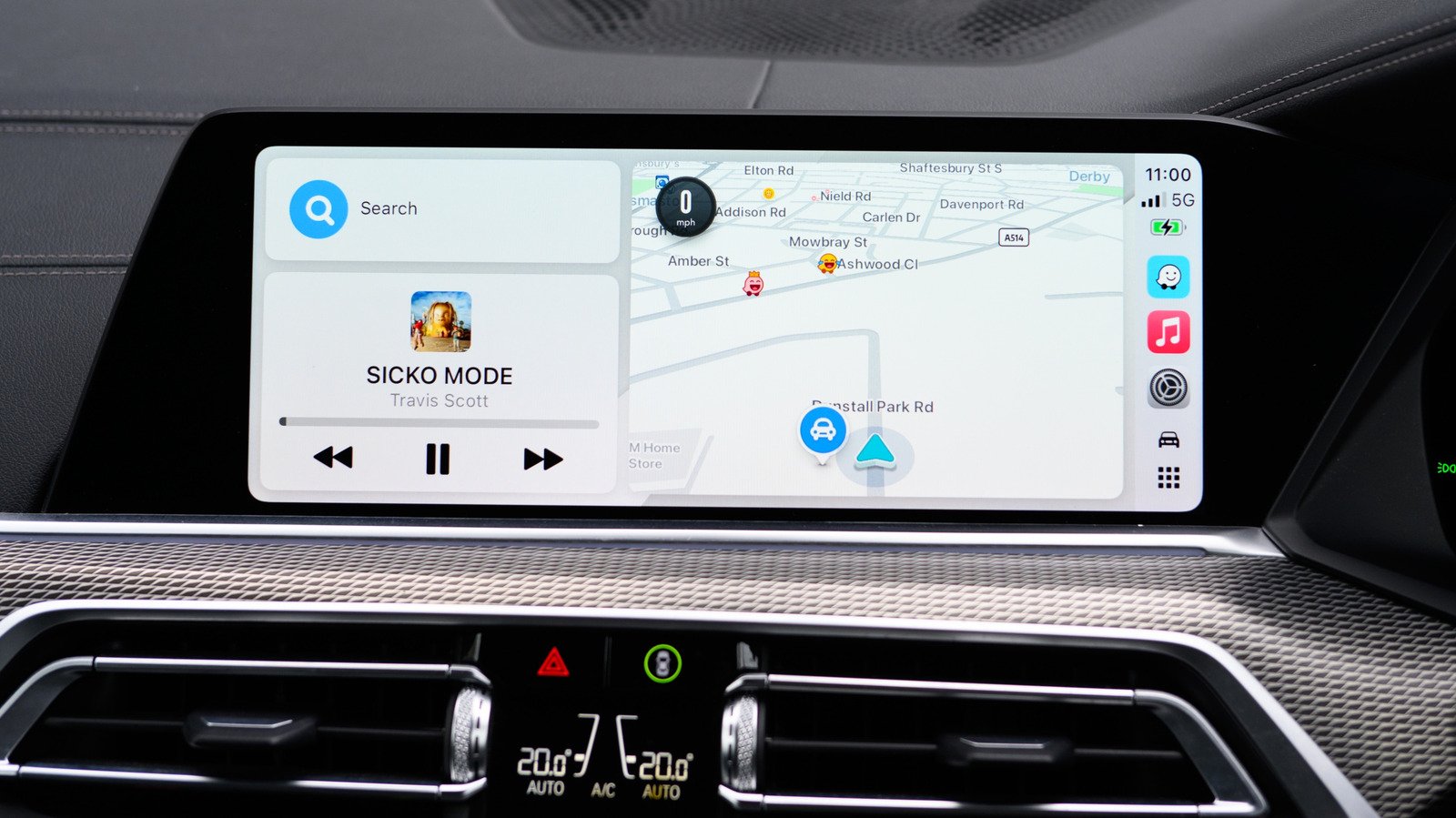
Technical Specifications and Architectural Breakdown
At its architectural core, Apple CarPlay operates as a projection protocol, not a standalone operating system. When an iPhone connects to a vehicle’s head unit via wired Lightning/USB-C or the wireless 5GHz Wi-Fi protocol, the vehicle acts as a remote display and input device for the iOS environment. The speed camera alert functionality is not a native feature of the CarPlay interface itself, but rather a function of the third-party navigation application running on the host device. These applications utilize the iPhone’s internal GPS module, cellular data connection, and a background process that queries cloud-based databases to overlay proximity alerts onto the navigation map.
The system relies on a combination of static geofenced data and dynamic crowdsourced telemetry. When a user approaches a known speed camera location, the application triggers a low-latency interrupt, sending an audio-visual cue to the vehicle’s infotainment system. This process requires continuous synchronization between the iPhone’s GPS sensor and the app’s backend servers. To ensure accuracy, the system calculates the vehicle’s heading and speed vector to determine if the camera is relevant to the current route. If the latency between the GPS ping and the server response exceeds a specific threshold, the alert may fail to trigger, which is why consistent cellular connectivity—often supported by 5G or high-speed LTE—is a fundamental technical requirement for reliable performance.
Industry Landscape and Competitive Comparison
The market for navigation software on Apple CarPlay is dominated by three primary players, each offering a distinct philosophy regarding data collection and user interface design. Waze, owned by Google, remains the industry standard for crowdsourced alerts, while Google Maps and Apple Maps have moved toward a more consolidated, minimalist approach. The following table outlines the functional differences between these platforms regarding speed camera integration.
| Platform | Alert Reliability | Customization Depth | Data Source |
|---|---|---|---|
| Waze | High | Advanced | User-reported & static |
| Google Maps | Moderate | Basic | Integrated database |
| Apple Maps | Moderate | Limited | Automated/System-level |
Waze distinguishes itself through its “Alerts and Reports” architecture, which allows users to contribute to the accuracy of the database in real-time. This creates a feedback loop where the system becomes more precise as the density of users increases. Conversely, Apple Maps integrates its alerts directly into the iOS ecosystem, prioritizing a clean, distraction-free interface over granular configuration options. While Apple Maps lacks the deep customization of Waze, it offers seamless integration with the iPhone’s hardware, often resulting in lower battery consumption and more stable performance during extended trips.
Practical Consumer & Enterprise Takeaways
For the average consumer, the choice of navigation app should be dictated by the specific requirements of their commute. If a driver operates in a region with high traffic enforcement and frequently changing speed limits, Waze is the superior choice due to its robust reporting tools. However, users who prioritize system stability and minimal UI clutter may find Apple Maps or Google Maps more appropriate. From an enterprise perspective, fleet managers should consider the implications of these tools on driver behavior. Implementing a standardized navigation policy across a fleet can reduce liability and promote safer driving habits, provided that the drivers are adequately trained on how to configure these alerts before departing.
It is important to note that these systems are not infallible. GPS drift, particularly in urban canyons or tunnels, can lead to delayed notifications. Furthermore, legal regulations regarding the use of speed camera detection software vary significantly by jurisdiction. In certain European countries, for example, the use of devices that proactively detect or warn of speed enforcement cameras is strictly prohibited. Drivers should verify the legality of these features in their specific operating region to avoid potential fines or equipment confiscation.
Frequently Asked Questions
Does Apple CarPlay automatically detect speed cameras without a third-party app?
No. Apple CarPlay is a projection platform. It does not possess an internal, native database of speed cameras. The alerts are entirely dependent on the navigation application—such as Waze, Google Maps, or Apple Maps—that you select and run through the CarPlay interface.
Why do I sometimes receive notifications for speed cameras that are not there?
False positives are typically the result of outdated crowdsourced data. If a camera was recently removed or if a user erroneously reported a speed trap, the notification may persist until the database is updated or corrected by other users. In the case of Waze, you can assist by confirming or denying the existence of the camera when prompted by the app.
Can I customize the audio alerts for speed cameras?
Yes, but the level of customization depends on the app. Waze offers the most granular control, allowing users to toggle specific types of alerts and adjust the volume or frequency of audio warnings through the ‘Alerts and Reports’ menu. Apple Maps and Google Maps offer significantly less control, usually limiting users to a simple on/off toggle for speed limit and camera notifications.
The Bottom Line
The integration of speed camera warnings into the Apple CarPlay experience is a practical application of modern connectivity that significantly improves driver awareness. While it is not a substitute for attentive driving or adherence to posted traffic signs, the technology serves as a valuable secondary check, particularly in unfamiliar territory. By choosing the platform that best aligns with their needs—whether that be the hyper-active, community-driven nature of Waze or the streamlined, native experience of Apple Maps—drivers can leverage their smartphone’s computational power to foster a safer, more informed transit experience. As the technology continues to mature, we expect to see even tighter integration between vehicle sensor suites and mobile navigation platforms, further reducing the reliance on manual reporting and increasing the overall precision of traffic enforcement data.