
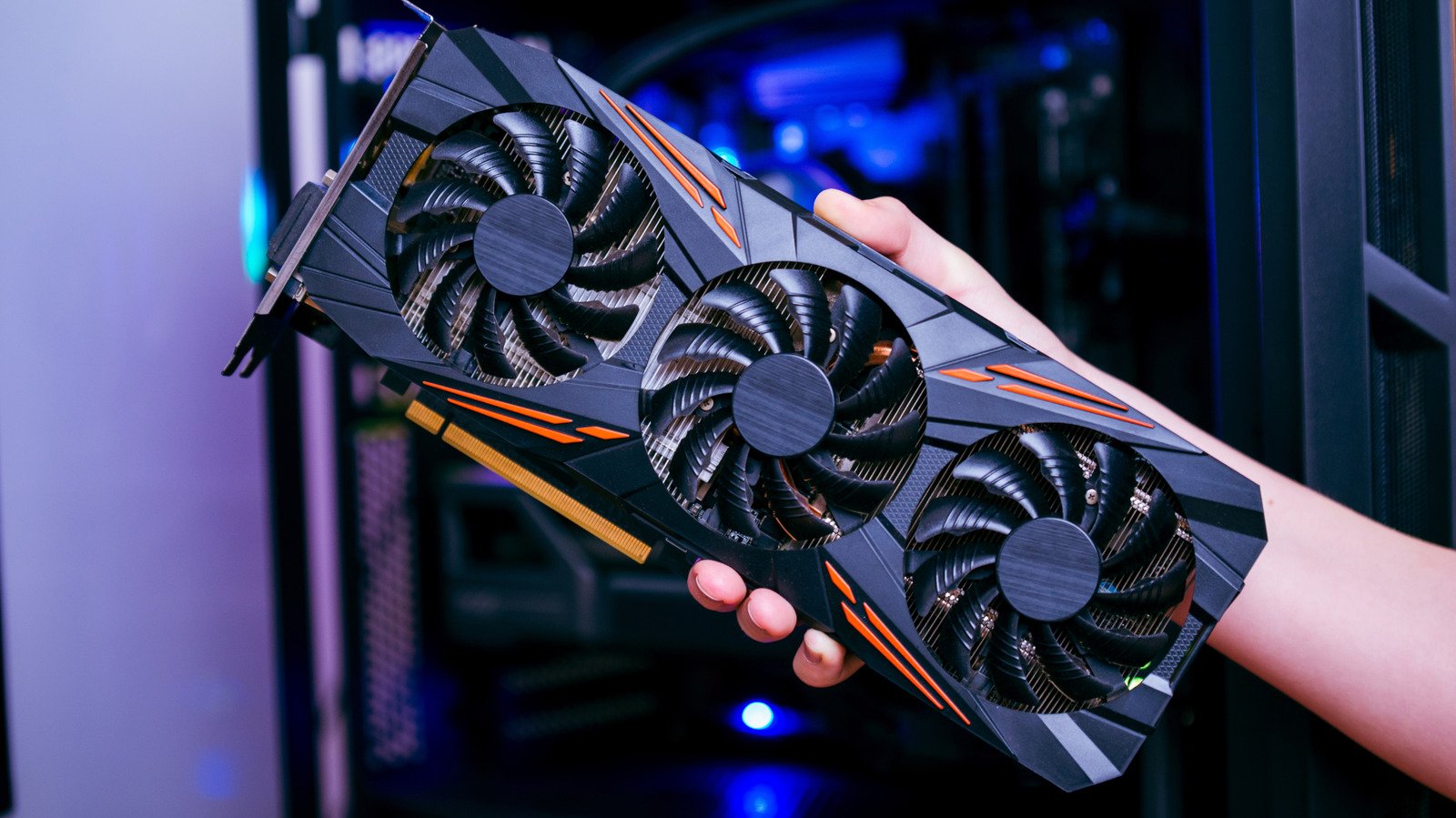
For years, generative artificial intelligence operated almost exclusively inside enterprise cloud datacenters. Today, open-weight architectures such as Meta’s Llama 3, Mistral, and Microsoft’s Phi series have catalyzed a rapid movement toward desktop execution. Running a local AI model offers clear advantages in data privacy, predictable latency, and independence from cloud subscription models. However, it also exposes severe performance bottlenecks on consumer desktop hardware. Tools like Ollama and LM Studio have streamlined execution down to simple interfaces, yet software simplicity quickly collides with physical hardware constraints. System memory capacity and memory bandwidth now dictate desktop usability far more than traditional CPU clock speeds.
Technical Specifications and Architectural Breakdown
To understand why a local AI model demands specialized hardware, one must examine how Large Language Models process data during inference. LLMs contain billions of parameters—the mathematical weights that define the model’s linguistic and logical capabilities. During execution, every single parameter must be loaded into memory and accessed during each token generation pass.
Memory capacity serves as the primary hardware gatekeeper. A model’s footprint scales directly with its parameter count and precision format. Standard 16-bit floating-point (FP16) precision requires 2 bytes of memory per parameter. Consequently, an uncompressed 7-billion-parameter (7B) model demands at least 14GB of video RAM (VRAM) just to initialize, excluding the extra memory required for context windows and Key-Value (KV) caching. To bypass these strict limits, the open-source community relies heavily on quantization—a technique that compresses weights from 16-bit precision to 8-bit, 4-bit, or 2-bit formats with minimal degradation in output quality. A 4-bit quantized (INT4) 7B model requires roughly 5GB of VRAM, while a 70B model compressed to 4-bit requires approximately 40GB.
Beyond capacity, memory bandwidth measured in gigabytes per second (GB/s) dictates token generation speed. Local LLM inference is memory-bandwidth bound rather than compute bound. While floating-point operations per second (FLOPS) matter during training, inference generation speed—measured in tokens per second—correlates directly with how fast the memory subsystem feeds model weights to compute cores. Discrete graphics cards using GDDR6X memory achieve between 800 GB/s and 1,000 GB/s of bandwidth. By contrast, standard DDR5 desktop system memory provides around 60 GB/s to 100 GB/s. When a model exceeds available VRAM and spills into system RAM, performance degrades rapidly to single-digit token generation speeds.
Industry Landscape and Competitive Comparison
Hardware configurations for local inference broadly fall into three main architectural categories: high-bandwidth consumer GPUs, unified memory workstations, and multi-GPU desktop configurations. NVIDIA maintains a dominant position due to its CUDA software stack and dedicated Tensor Cores. However, Apple has emerged as a distinct alternative through its Unified Memory Architecture, allowing central and graphics processors to access shared pools of up to 192GB of RAM on top-tier M-series chips at speeds exceeding 800 GB/s.
The following matrix compares common hardware configurations running a 4-bit quantized local AI model:
| Hardware Category | Primary Configuration | Memory Bandwidth | 70B (INT4) Capability | Target Audience |
|---|---|---|---|---|
| Consumer Single GPU | NVIDIA RTX 4090 (24GB VRAM) | ~1,008 GB/s | Partial System RAM Offload | Enthusiasts running 7B–30B models |
| Unified Memory Workstation | Apple Mac Studio M2 Ultra (192GB RAM) | ~800 GB/s | Full On-board VRAM Loading | Developers running large parameter models |
| Dual Discrete GPU | 2x NVIDIA RTX 3090 / 4090 (48GB VRAM) | ~1,800+ GB/s combined | Full High-Speed VRAM Loading | Power users requiring maximum token throughput |
Practical Consumer & Enterprise Takeaways
Building or upgrading a desktop PC for local AI model execution requires reallocating hardware budgets away from traditional gaming targets. Gamers typically prioritize single-core CPU clock speeds and rasterization performance, but localized generative AI workloads demand maximum memory capacity and throughput above all else.
For enthusiast desktop users, acquiring a discrete GPU with at least 16GB to 24GB of VRAM—such as an NVIDIA RTX 4060 Ti 16GB, RTX 3090, or RTX 4090—provides the optimal price-to-performance ratio for models up to 30 billion parameters. Users intending to deploy 70B parameter models on a budget often find success in dual-GPU setups, combining two 24GB cards over PCIe lanes to aggregate VRAM capacity.
Alternatively, compact Apple Mac Studio systems offer a practical path for running massive parameter models without enterprise server hardware, albeit at lower peak token speeds than multi-card NVIDIA setups. Buyers choosing standard PC builds should ensure system RAM is configured in multi-channel DDR5 modes to lessen performance penalties when memory offloading becomes unavoidable.
Frequently Asked Questions
How much VRAM is required to run a 7B or 13B local AI model?
A 7B model running in 4-bit quantization requires approximately 5GB to 6GB of VRAM to account for weights and context buffers. A 13B model in 4-bit quantization requires 10GB to 12GB of VRAM. Native FP16 precision doubles those requirements to approximately 14GB and 26GB respectively.
Can system RAM be used instead of GPU VRAM for local AI inference?
Yes, tools like Ollama and llama.cpp support offloading model layers to system RAM via CPU processing. However, because standard DDR5 RAM bandwidth (approx.