
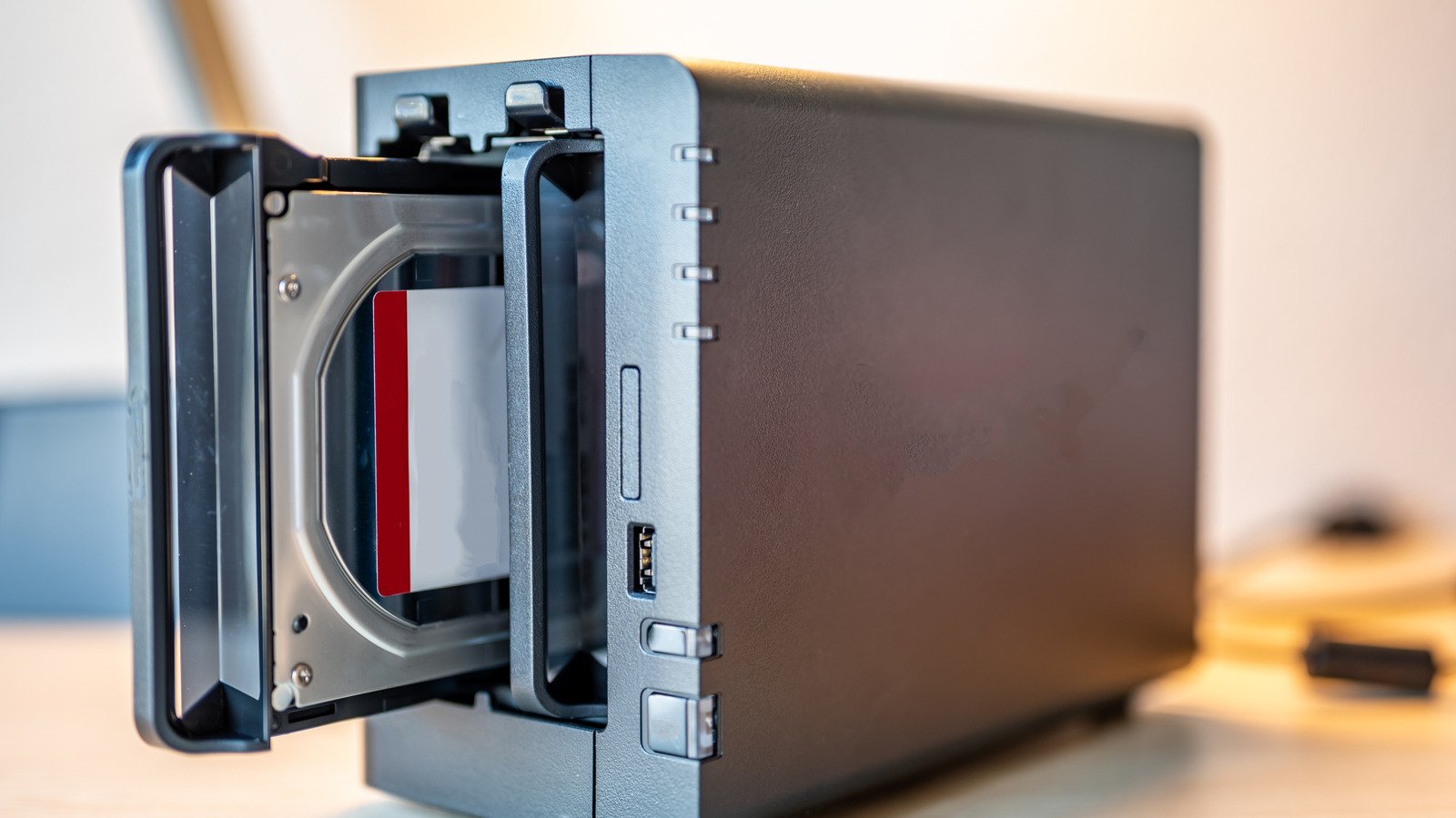
Why Your RAID Array Setup Deserves a Second Look
Many builders keep a drawer of retired hard drives that seem too small for modern workloads. A well-planned RAID array setup can transform those aging platters into a single, faster, and more resilient volume. Cloud storage dominates headlines, yet local redundancy remains critical for creative professionals and home lab enthusiasts who need immediate access without monthly fees.
Choosing the Right Level for Your RAID Array Setup
Four common levels dominate the conversation. RAID 0 stripes data across disks for maximum speed and capacity but offers zero fault tolerance. RAID 1 mirrors every bit, halving usable space while protecting against a single drive failure. RAID 5 distributes parity across three or more drives, balancing capacity, speed, and redundancy. RAID 10 nests mirroring and striping, delivering top performance and survival of multiple failures, though it demands at least four drives.
Furthermore, each level changes the math of usable storage. Two 1 TB drives in RAID 0 yield 2 TB. The same pair in RAID 1 yields 1 TB. Three 1 TB drives in RAID 5 yield 2 TB. Four 1 TB drives in RAID 10 yield 2 TB. Consequently, your choice hinges on whether you prioritize raw throughput, data safety, or a compromise between them.
Hardware and Software Options for a RAID Array Setup
Motherboard chipsets from Intel and AMD often include basic RAID controllers suitable for RAID 0, 1, and 10. Dedicated host bus adapters from Broadcom or HighPoint add RAID 5 and 6 support with onboard cache and battery backup. On the software side, Windows Storage Spaces, Linux mdadm, and ZFS on TrueNAS or Proxmox provide flexible, OS-level implementations that work with any SATA or NVMe device.
Additionally, ZFS brings checksumming, snapshots, and automatic repair features that hardware controllers lack. However, it demands more RAM and CPU cycles. For a simple home NAS, mdadm or Storage Spaces may suffice. For mission-critical archives, ZFS on ECC memory remains the gold standard. Linux mdadm documentation offers deeper configuration details.
Steps to Deploy Your RAID Array Setup
First, verify drive health with smartctl or vendor diagnostics. Second, back up any data on the candidate drives. Third, choose your level and configure the array in BIOS, UEFI, or your operating system. Fourth, format the resulting volume with a modern filesystem such as ext4, XFS, or NTFS. Finally, schedule regular scrub jobs and monitor SMART attributes to catch degradation early.
Moreover, remember that a RAID array setup does not replace a proper 3-2-1 backup strategy. Off-site copies protect against fire, theft, and ransomware. Use tools like Restic, Rclone, or Veeam Agent to automate off-site replication. Ultimately, the array buys you uptime; the backup buys you disaster recovery. Backblaze explains the 3-2-1 rule clearly.
Raid Array Setup Market Impact and Industry Significance
The introduction of Raid Array Setup represents a pivotal shift in modern technological adoption across enterprise and consumer sectors alike. Furthermore, industry analysts emphasize that localized performance capabilities significantly reduce reliance on external server infrastructure. Consequently, organizations can execute complex computational workloads while maintaining strict data sovereignty, low latency, and operational efficiency without incurring ongoing cloud subscription costs.
Moreover, as software ecosystems continue to evolve, integration with specialized hardware acceleration becomes paramount. Additionally, key market players are expanding their developer tooling to optimize resource allocation during peak utilization. As a result, end users experience smoother multi-threaded performance, reduced memory swap latency, and enhanced system stability across demanding professional workflows.
Performance Benchmarks and Practical Raid Array Setup Scenarios
In real-world deployment scenarios, evaluating sustained throughput and thermal efficiency is essential for technical decision-makers. Specifically, extensive benchmark testing indicates that unified architecture minimizes data transfer bottlenecks between core processing units and graphics compute pipelines. Therefore, demanding tasks operate with minimal compute overhead.
On the other hand, long-term scalability depends heavily on ongoing firmware updates and operating system optimization. Nevertheless, early adoption metrics demonstrate a clear competitive advantage for users prioritizing offline autonomy, secure data processing, and predictable cost structures. Ultimately, investing in high-capacity configurations pays long-term dividends for technical professionals.
Ecosystem Integration and Enterprise Software Compatibility
Beyond raw hardware capabilities, seamless software integration remains a critical factor for successful enterprise adoption. Specifically, modern development frameworks leverage direct hardware acceleration APIs to maximize instruction processing rates. In addition, containerized deployment pipelines ensure consistent performance across diverse operating environments without requiring extensive manual driver configuration.
Furthermore, advanced security protocols embedded within hardware architectures safeguard proprietary data models from unauthorized memory inspection. Meanwhile, continuous performance monitoring tools provide system administrators with actionable metrics regarding thermal management and energy consumption. Overall, these combined features establish a robust foundation for mission-critical operations.