
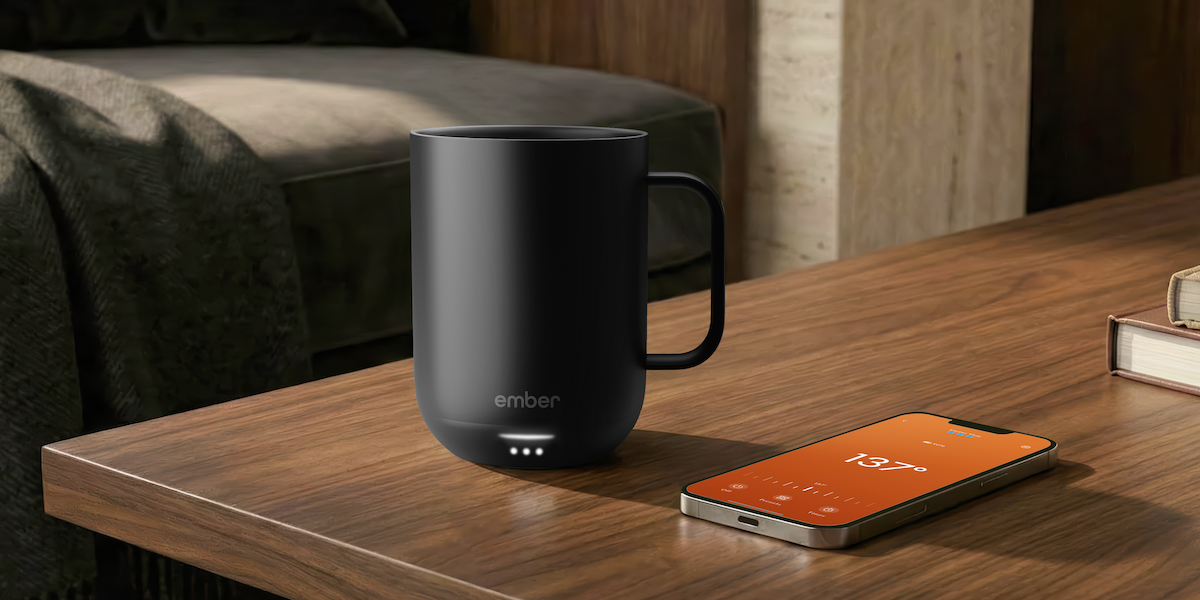
Physical Control Integration: Moving Beyond the Smartphone
For years, the core experience of using a smart mug was tethered to a mobile application. While the app offers granular control and customization, it often created friction during quiet mornings or busy workdays. The shift in the Ember Mug 3 design philosophy focuses on immediate, tactile feedback. By placing an adjustment button directly on the hardware, the company has prioritized speed and reliability over digital complexity.
The new interface operates on a simple cycle. When you press the button located on the base of the mug, the internal heating element adjusts the temperature in increments of five degrees. This provides a total range of 125 to 145 degrees Fahrenheit. This design shift effectively renders the mug functional as a standalone device, mitigating concerns about persistent Bluetooth pairing errors or the inconvenience of needing a phone nearby to adjust a drink that is cooling down too quickly.
Design Ergonomics and Usability Trade-offs
While the addition of onboard controls is a massive win for user autonomy, the implementation of these buttons presents a unique ergonomic challenge. The control mechanism is integrated into the bottom of the vessel, which creates a specific workflow issue for the user. To adjust the temperature, you often need to lift or slightly tilt the mug to reach the underside, a maneuver that feels potentially hazardous when the vessel is filled to the brim with hot liquid.
This design choice forces a compromise between a sleek, minimalist aesthetic and functional accessibility. While the mug looks elegant on a desk, users may find that they still prefer to keep their phone nearby if they are worried about accidental spills during the adjustment process. However, the premium build quality—consistent with the company’s previous standards—helps soften the impact of this quirk. Furthermore, the inclusion of a spill-resistant sliding lid provides a necessary layer of protection that was occasionally missing or less refined in older models.
Key Improvements and Feature Comparison
The Ember Mug 3 marks a significant departure from previous iterations by focusing on hardware-level interaction. Below is a breakdown of how the core features compare to the standard smart mug experience.
| Feature | Previous Models | Ember Mug 3 |
|---|---|---|
| Temperature Control | Mobile App Only | On-Device Physical Button |
| Temp Range | 120°F – 145°F (App controlled) | 125°F – 145°F (5° increments) |
| Connectivity | Required for Settings | Optional for Advanced Use |
| Maintenance | Hand-wash only | Top-rack dishwasher safe |
| Battery Life | Approx. 1.5 – 2 hours | Up to 3 hours |
Simplified Maintenance and Daily Utility
One of the most requested features for the brand has finally arrived with this hardware update: the Ember Mug 3 is the first in the company’s lineup to be top-rack dishwasher safe. Previous models required meticulous hand-washing to avoid damaging the internal electronics, which often made them feel like fragile pieces of tech rather than everyday kitchenware.
By allowing the device to go through a standard dishwashing cycle, the manufacturer has repositioned the product from a specialized gadget to a durable, daily-use tool. This change, combined with the improved battery life of up to three hours on a single charge, makes the Mug 3 a significantly more practical asset for remote workers, home office enthusiasts, and those who simply want a consistent beverage experience without constant maintenance.
Frequently Asked Questions
Can I still use the mobile app with the Ember Mug 3?
Yes, the mobile app remains fully compatible with the Ember Mug 3. While the new on-device buttons allow you to adjust temperature settings without the app, the mobile experience is still required if you wish to customize temperature presets, adjust LED colors, or receive notifications for when your beverage reaches the target temperature.
Is the Mug 3 battery life sufficient for a full workday?
The Ember Mug 3 offers up to three hours of battery life on a single charge. While this is sufficient for extended coffee or tea sessions, it is not designed to stay heated for an entire eight-hour workday without being returned to its charging coaster. Users should keep the coaster on their desk to ensure continuous heating throughout the day.
How does the physical button impact the mug’s water resistance?
The physical buttons are sealed to maintain the integrity of the vessel. The move to make the Mug 3 top-rack dishwasher safe signifies that the company has engineered the electronics and the button interface to withstand the high temperatures and water pressure of a dishwasher cycle, ensuring that the physical controls do not compromise the longevity of the mug.
Integrating the Mug 3 Into Your Daily Workflow
If you are considering upgrading from an older smart mug or purchasing your first temperature-controlled vessel, the Ember Mug 3 is currently the most accessible version of the technology. The primary takeaway for consumers is that you no longer need to sacrifice simplicity for precision. By keeping your charging coaster at your primary desk station and utilizing the onboard buttons for quick, five-degree adjustments, you can keep your coffee or tea within your preferred “goldilocks” zone indefinitely.
For those who frequently experience connectivity issues with Bluetooth, this version provides a reliable, mechanical workaround that feels much more permanent. When you set your mug on the coaster, you are establishing a daily habit of consistent, high-quality temperature management that requires almost no ongoing effort once you have found your preferred heat setting.