
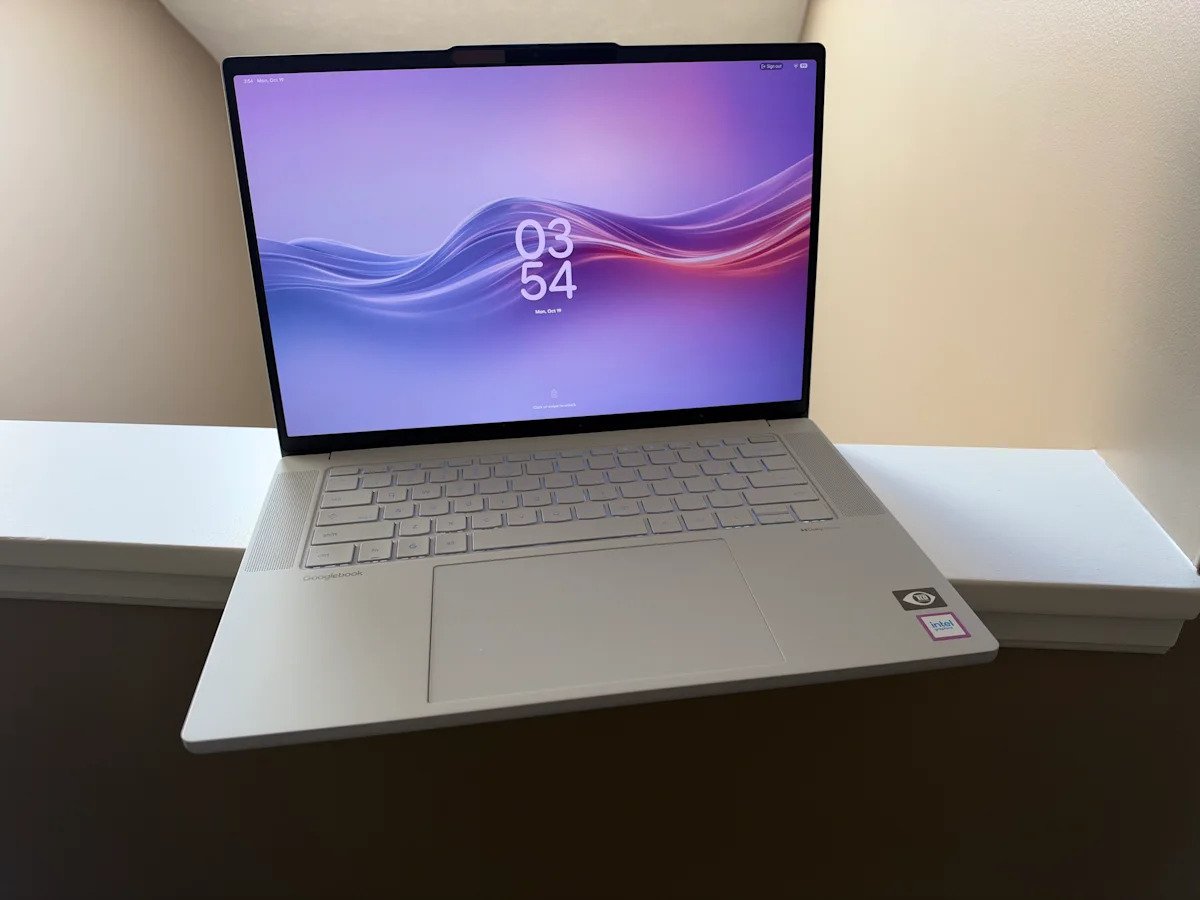
For over a decade, Google’s hardware strategy has been defined by the budget-conscious Chromebook—a device that conquered the educational sector through affordability and simplicity. However, the landscape of mobile computing is shifting. With the arrival of the new Googlebook lineup, the company is making a calculated move to abandon the “cheap laptop” stigma. By positioning these machines between $899 and $1,099, Google is signaling a direct challenge to the MacBook Air and premium Windows ultrabooks. As Googlebook launches rival hardware to compete with industry titans, the focus moves from basic web browsing to high-end productivity, deep Gemini AI integration, and a unified ecosystem that attempts to bridge the gap between mobile and desktop computing.
Technical Specifications and Architectural Breakdown
The hardware engineering behind the Googlebook series marks a departure from the plastic-heavy chassis of previous generations. Partnering with established manufacturers like Lenovo and Acer, Google has ensured that the physical build quality of these devices meets, and in some cases exceeds, current premium standards. The units feature CNC-machined aluminum bodies, rigid hinges, and a refined aesthetic that feels professional rather than utilitarian.
At the heart of the performance tier is a focus on display fidelity and power efficiency. The standard configuration includes a high-resolution OLED panel that offers deep blacks and vibrant color accuracy, suitable for both creative workflows and media consumption. Under the hood, the architecture is designed to handle the heavy lifting of local Gemini AI processing. By leveraging dedicated neural processing units (NPUs) alongside high-efficiency mobile silicon, the Googlebook maintains a thermal profile that allows for fanless or near-silent operation, even during intensive multitasking.
Battery performance remains a primary engineering victory. During testing, the devices managed to sustain a full workday of mixed-use productivity, including web-based office suites and local application management. However, the software architecture is where the complexity lies. The operating system is a hybrid construct, attempting to layer Android’s vast app library over a traditional desktop environment. While the underlying Linux-based kernel provides a stable foundation, the translation layer for Android applications often struggles with desktop-grade input methods, leading to occasional scaling issues on the high-DPI OLED screens.
Industry Landscape and Competitive Comparison
The market for premium laptops is currently dominated by Apple’s M-series MacBooks and high-end Windows machines from Dell and HP. Googlebook enters a crowded field, attempting to differentiate itself through software synergy rather than raw processing power alone. The following table illustrates how the current Googlebook stacks up against its primary market rivals.
| Feature | Googlebook (Premium) | MacBook Air (M3) | Windows Ultrabook (Core Ultra) |
|---|---|---|---|
| Starting Price | $899 | $1,099 | $950 |
| Display Type | OLED | Liquid Retina (IPS) | OLED / IPS |
| Primary OS | ChromeOS / Android Hybrid | macOS | Windows 11 |
| AI Integration | Deep Gemini Integration | Apple Intelligence | Copilot+ PC |
While the Googlebook offers a compelling price-to-performance ratio, it lacks the mature software ecosystem of macOS or the sheer application compatibility of Windows. The challenge for Google is convincing power users that a browser-centric OS, even one bolstered by Gemini AI, can replace a traditional workstation environment.
Practical Consumer & Enterprise Takeaways
For the average consumer, the Googlebook represents a significant investment that requires careful consideration. If your daily workflow relies heavily on Google Workspace, cloud-based applications, and light media editing, the hardware provides an excellent experience. The integration of Gemini AI—which assists in drafting emails, summarizing documents, and organizing files—is genuinely useful for those already embedded in the Google ecosystem.
However, enterprise users and professionals who require specialized software, such as legacy accounting programs or complex CAD tools, may find the platform restrictive. The cross-device pairing feature, while innovative, remains a work in progress. Users should expect a learning curve when syncing Pixel devices; the setup process currently requires significant manual intervention, including device restarts and permission toggles that interrupt the user experience. Prospective buyers should view this as a “version 1.0” product: the hardware is mature, but the ecosystem’s connectivity features are still maturing.
Frequently Asked Questions
Is the Googlebook suitable for professional creative work?
While the OLED screen is excellent for color-sensitive work, the software limitations regarding professional-grade creative suites (like the full Adobe Creative Cloud or high-end 3D rendering tools) remain a hurdle. It is ideal for content creators who work primarily in web-based or cloud-native applications.
How does the Gemini AI integration differ from Copilot on Windows?
Google’s Gemini integration is deeply woven into the file system and browser environment, focusing on productivity and information retrieval within the Google ecosystem. It is less about system-level control and more about acting as an intelligent assistant for your documents and communications.
Can I install standard Windows or Linux applications on a Googlebook?
The device is optimized for web-based apps and Android-ported software. While advanced users can enable Linux developer mode to run specific terminal-based tools, it is not a native Windows machine and cannot run standard .exe files, which will be a dealbreaker for many enterprise users.
The Bottom Line
Googlebook launches rival hardware that proves Google can compete with the best in the industry regarding physical manufacturing. The OLED displays, solid battery life, and premium materials demonstrate a clear understanding of what modern laptop users demand. Yet, the transition from a browser-first platform to a comprehensive desktop competitor is fraught with software friction. Until Google resolves the inconsistencies in its Android-to-desktop app translation and streamlines its cross-device ecosystem, the Googlebook remains a specialized tool for enthusiasts rather than a default choice for the mainstream market. It is a bold, high-quality step forward, but one that still has miles to go before it can truly claim the crown from established market leaders.